DJBox: A DJ App for the DDJ-200, Built on Pure Data
The Pioneer DDJ-200 is a small, cheap controller. It has two jog wheels, a crossfader and sixteen pads, and on its own it does nothing: it sends MIDI and waits for software to answer. DJBox is the software I wrote to answer it.
It's a two-deck DJ app for the Mac. No rekordbox and nothing else to install: you open the app, plug in the controller and play.
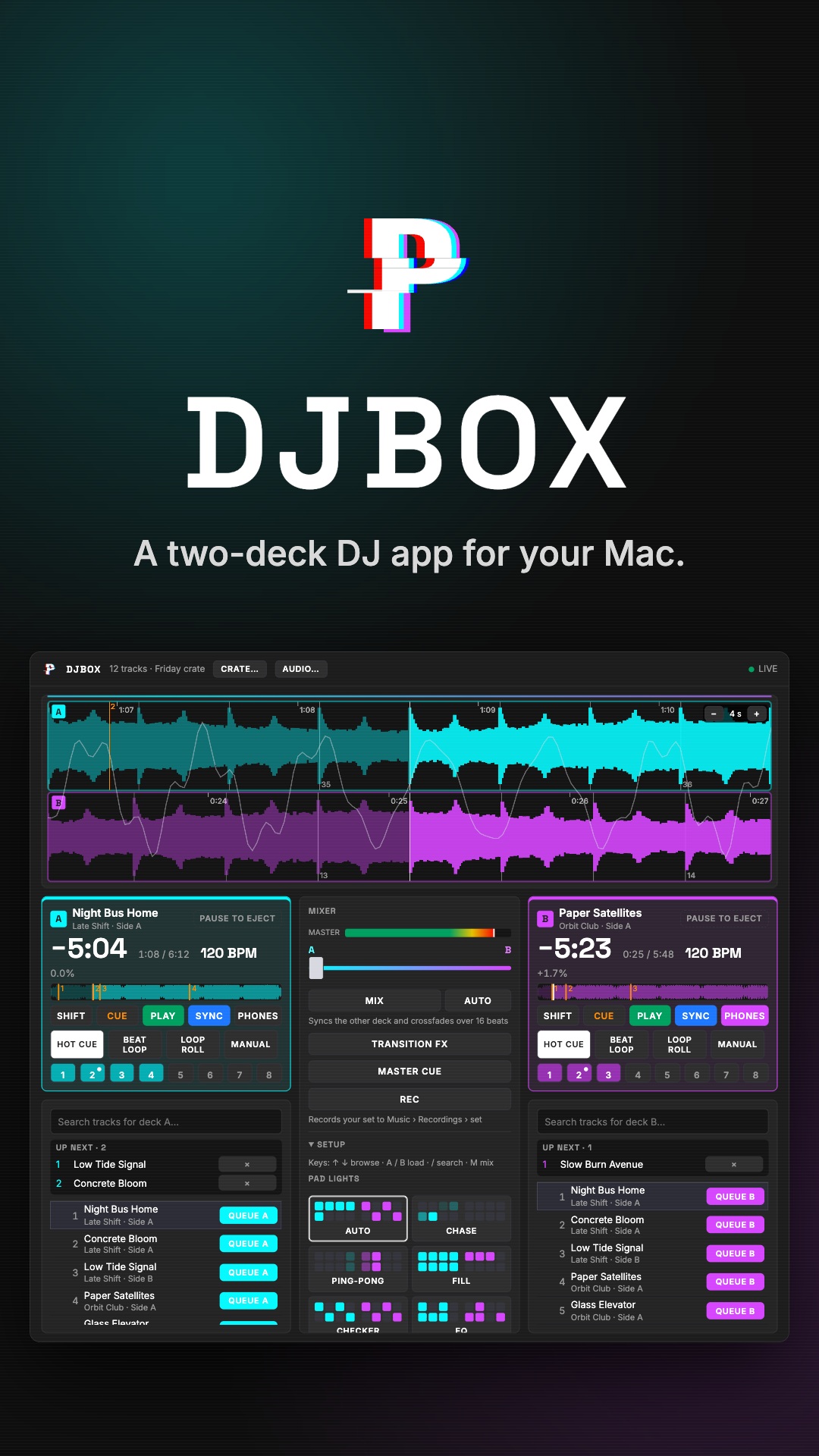
How it fits together
There are three pieces:
- Pure Data does the audio and the MIDI. A mapping patch turns the controller's MIDI into named messages (
d1-play,master-crossfaderand so on), and every other patch listens to those names: decks, mixer, EQ, loops, hot cues, headphone cue, recording. All of it uses vanilla Pd objects, so the app ships with one Pd binary built from source and needs nothing else. - A small Node server starts Pd, talks to it over TCP and serves the interface as a web page. It has no runtime dependencies.
- Electron wraps the two into
DJBox.app.
Because the screen is a web page, any phone on the same Wi-Fi can open it too.
Sync that follows the real beats
When a song loads, the server runs beat tracking on it in a worker, which takes two or three seconds per song. The result goes back to Pd as a beat map, and sync lines the decks up on the song's real beats, not on a perfectly straight grid. A live drummer drifts, and sync follows the drift. Until the analysis arrives, it falls back to a straight BPM grid.
MIX, AUTO and the queue
Each deck has a queue. Loading a song into a playing deck queues it, and when the current song ends the next one loads.
MIX is a one-tap transition: it syncs the other deck, starts it, and sweeps the crossfader across over 16 beats. Then it pauses the deck that faded out and loads its next song. AUTO starts a MIX 16 beats before the playing song ends, so a queued set can run itself. Touching the crossfader cancels the sweep: you're always in charge.
The pads light up
The DDJ-200's sixteen pads have lights, and DJBox drives them. Saved hot cues stay lit. While a deck plays, the pads run patterns on its beat grid (chase, ping-pong, fill, checker, EQ), one step per sixteenth note.
Audio routing
The DDJ-200 has no sound card of its own, so the first launch opens an audio setup page with three presets:
- Speakers or headphones: the Mac's output, master only.
- Audio interface: master on 1–2, headphone cue on 3–4.
- BlackHole bus: master on 15–16 of BlackHole 16ch, so the set can go into OBS, a DAW or anything else on the Mac.
The REC button records the master to a new file each time.
Other programs can follow the set
The server also streams the set's state as Server-Sent Events: what's playing on each deck, play and pause, the crossfader. Together with the master audio on the BlackHole bus, another program can follow a set without touching the controller.
That's how the Altar de Muertos visuals for my Halloween party worked. TouchDesigner read DJBox's event stream to know when a song changed, and the master audio to know how hard the music was hitting. The altar changed with every song.
Where it stands
DJBox is at version 0.1.0, a Pulsar Interactive R&D project. The build isn't notarized yet, so on first launch you right-click and choose Open. It works with the DDJ-200 only, because that's the controller I have.