Moon: A Phone Remote for TouchDesigner
When visuals run at a party, the laptop sits somewhere awkward: behind the DJ, under a table, next to the speakers. I wanted to change the show from wherever I was standing. Moon is the phone app that does that.
It started as the TouchDesigner panel inside Luna, my personal admin app, and on October 13 it moved into a small app of its own. In our naming, mobile apps are moons, hence the name.
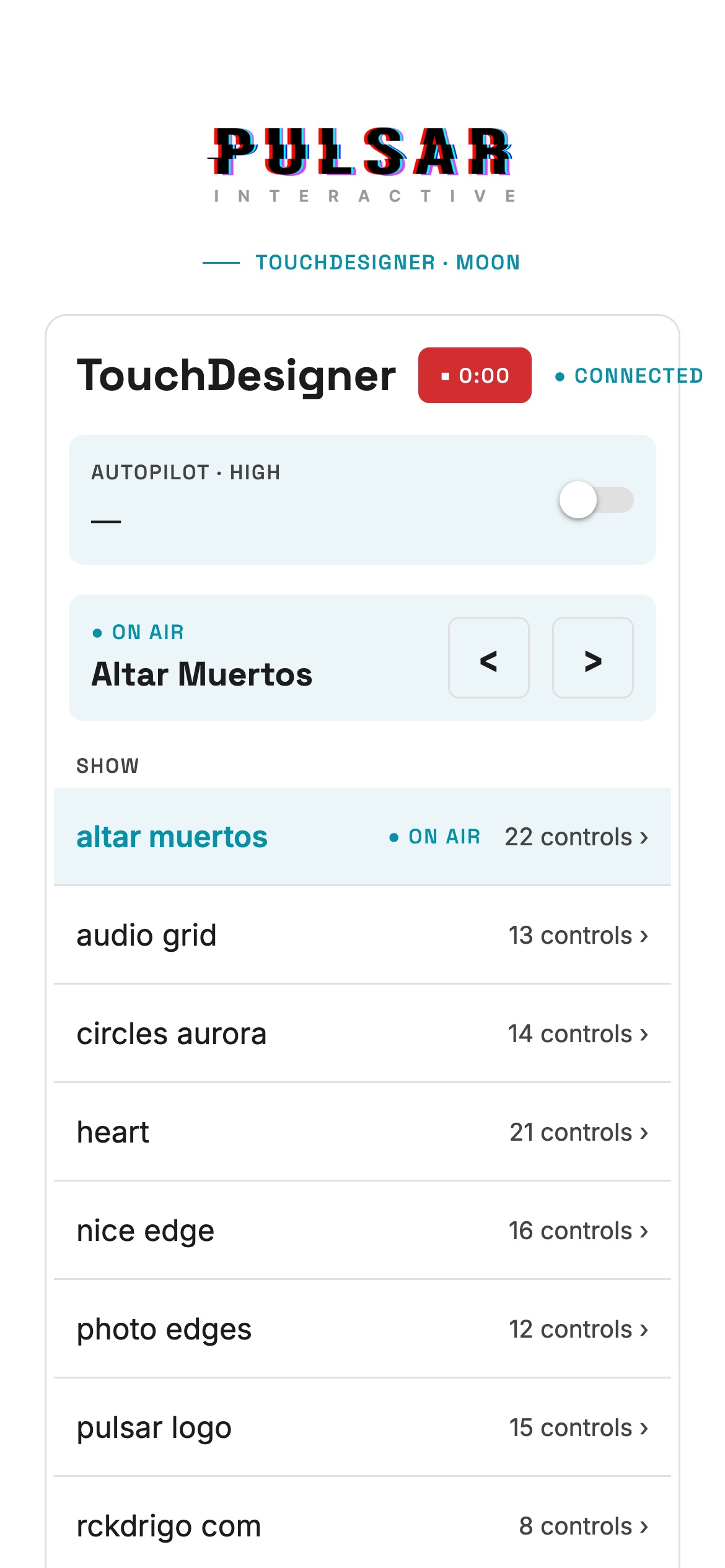
No backend in the middle
Moon talks straight to the running TouchDesigner project over a WebSocket on the local network. There's no server in between, no account and no sign-in: the phone and the Mac only need to be on the same Wi-Fi.
On the TouchDesigner side it takes three operators:
- a Web Server DAT listening on port 9980,
- a callbacks DAT that answers the app, and
- a Parameter Execute DAT that pushes changes back to every connected phone.
The protocol is three JSON messages: list returns the patches, get returns one patch's controls, and set changes a value. That's the whole API.
The controls live in TouchDesigner
The app has no list of controls built into it. Any component in the project with a custom parameter page named Controls shows up as a patch, and every parameter on that page becomes a control on the phone:
| In TouchDesigner | On the phone |
|---|---|
| Toggle | Switch |
| Menu | Buttons |
| Float | Slider, live while dragging |
| Int | Stepper |
| Pulse | Button |
| Momentary | Hold button |
So adding a control to the phone means adding a parameter to a Controls page in TouchDesigner. The app never changes. That's also the security boundary: only parameters on a Controls page can be read or changed, and nothing else in the project is reachable from the phone.
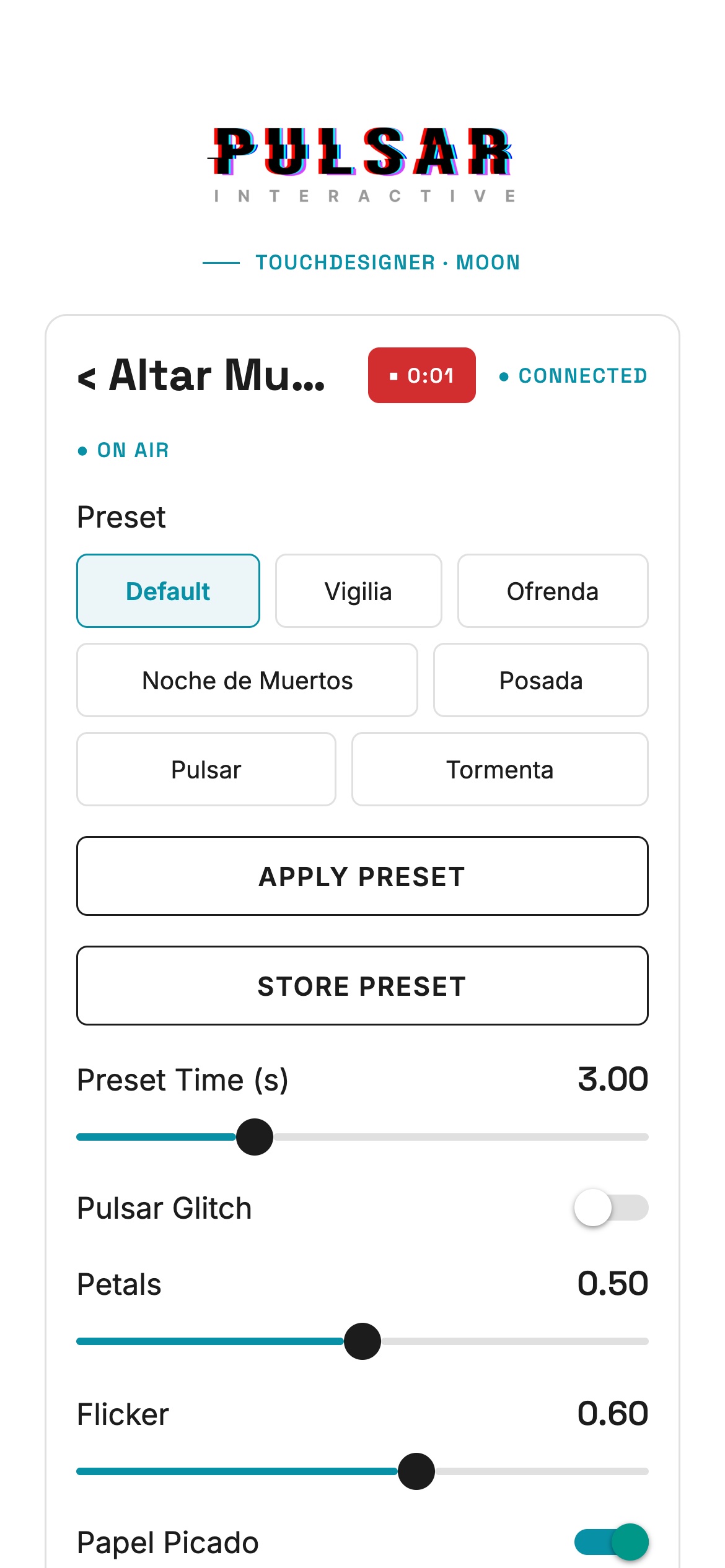
It works both ways. When I move a slider with the mouse, the phone's slider moves too. While you're dragging, the slider holds its starting point, so an update arriving from TouchDesigner can't yank the thumb away from your finger.
Running a show from it
Over the last weeks Moon picked up the things I actually reach for during a night:
- On air. The patch currently on screen is marked ON AIR, with a short cyan/magenta glitch every four seconds (turned off when the phone asks for reduced motion). Any patch in the lineup has a PUT ON AIR button.
- Undo. After switching patches, a "back to" link stays up for eight seconds, for when the switch was a mistake.
- Autopilot. A strip at the top of the list shows whether the autopilot is following DJBox and how intense the music is right now, with a switch to turn it off.
- Recording. A REC button in the header, on every screen, starts and stops TouchDesigner's recorder, with a running timer.
If TouchDesigner goes away, the app retries every two seconds and again whenever it comes back to the foreground, so restarting the project mid-night doesn't need anyone to touch the phone.
Moon and the altar
This is the remote behind the Altar de Muertos: its looks, presets and photos all sit on its Controls page, so they were on the phone without writing any app code.
The video below is a simulation of how that plays out. On the left is the real Moon app, driven through four actions against the altar's real controls and presets. On the right is a different part of the altar recording than the one in the altar post, 6:26 to 7:56 of the take. Each action is timed to the change it causes:
- Posada slider up: the black-and-white engraving starts to bleed into the candlelit altar.
- Preset "Posada", then Apply Preset: the full engraving look.
- Posada back to 0: candlelight returns.
- Fotos on: the four photos fade onto the tiers. They are Pachita, my grandmother; Tío Jaime; Nikita, our dog; and Luigi, our turtle.
To be clear about what's simulated: the altar footage was recorded live, and the phone side is Moon's web build talking to a stand-in for TouchDesigner's server, built from the project's own Controls pages and presets table. The taps were re-enacted afterwards to match the recording.
The stack
Expo SDK 58 with React Native, written in TypeScript. The whole control panel is one component of about 550 lines. It runs in Expo Go, so there's no store release: scan a QR code and the remote is on your phone.